Why Your Firewall Isn’t Enough: A Network Security Layered Approach Virginia Businesses Can Sustain
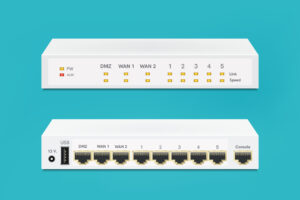
A firewall is still essential, but it was built to guard a perimeter that most businesses no longer have. Here is how layered security actually works, which layers matter most, and how to build them in a sensible order without a Fortune 500 budget.
In This Article
- Why a Firewall Alone Isn’t Enough Anymore
- What a Firewall Actually Does, and What It Can’t
- Defense in Depth: The Layered Model Explained
- A Network Security Layered Approach Virginia Businesses Can Sustain
- Layer One: Identity, MFA and Access Control
- Layer Two: Endpoint Protection and Patching
- Layer Three: Email and Web Filtering
- Segmentation, Wi-Fi and Physical Security
- Backups, Monitoring and Incident Response
- Where to Start: A Practical Roadmap
- How Mercury Communications Helps Virginia Businesses Build Layered Security
1. Why a Firewall Alone Isn’t Enough Anymore
A network security layered approach Virginia businesses can actually maintain starts with an uncomfortable truth: the firewall in your network closet is doing its job, and attackers are walking around it anyway. They do not need to break through the front door when an employee will open it for them, when a password from an old breach still works, or when a laptop carries the threat in from a hotel Wi-Fi network.
For years the standard advice to a small or mid-sized business was simple: buy a good firewall, keep antivirus current, and you are covered. That model assumed your people, your data and your applications all lived inside one building, behind one box. Today your email lives in Microsoft 365 or Google Workspace, your accounting software lives in the cloud, your staff work from home two days a week, and your phones, cameras and printers are all on the network too.
The perimeter the firewall was built to protect has dissolved. The firewall still matters, but it now guards one doorway in a building with dozens of them. That is why security professionals, federal agencies and insurers have converged on the same answer: layers. No single control stops everything, so you stack several independent controls so that when one fails, the next one catches the problem.
This guide explains what each layer does, which ones give the most protection for the money, and how a Virginia business with five, fifty or five hundred employees can build them in a sensible order. It is written for owners and office managers, not just IT staff, because security decisions are business decisions.
When we are called in after an incident, the business almost always had a firewall. What it usually lacked was multi-factor authentication on email, current patches on a few machines, tested backups, or anyone watching the alerts. The firewall was never the weak point. Everything around it was.
2. What a Firewall Actually Does, and What It Can’t
To understand why layers matter, it helps to be precise about what a firewall is. At its core, a firewall sits between your internal network and the internet and decides which traffic is allowed in or out based on rules. Modern next-generation firewalls (NGFWs) add more: they can identify applications, inspect encrypted traffic, block known-malicious sites, run intrusion prevention signatures and terminate VPN connections for remote staff.
What a good firewall does well
- Blocks unsolicited inbound connections so services inside your network are not exposed to the internet by accident.
- Enforces outbound policy, such as blocking traffic to known command-and-control servers or risky categories of websites.
- Provides secure remote access through VPN, when it is configured and patched correctly.
- Logs traffic that becomes invaluable during an investigation, if someone keeps and reviews those logs.
What a firewall cannot see or stop
- Stolen credentials. If an attacker logs in to Microsoft 365 with a valid username and password, the firewall at your office never sees it. That traffic goes straight from the attacker to the cloud.
- Phishing that a user clicks. A user who approves a fake login page or runs a malicious attachment is initiating traffic the firewall considers normal.
- Off-network devices. Laptops at home, at a client site or in a coffee shop are outside the office firewall’s protection entirely.
- Lateral movement. Once something is inside a flat network, most perimeter firewalls do nothing to stop it spreading from one workstation to the server.
- Unpatched systems. A firewall can reduce exposure, but it cannot fix the vulnerable software running behind it.
None of this is a knock on firewalls. It is a description of their job. A firewall is a necessary layer. It is simply not a sufficient strategy.
3. Defense in Depth: The Layered Model Explained
“Defense in depth” is the idea that security should be built like a medieval castle: moat, wall, gate, guards, inner keep. An attacker who gets past one barrier meets another. In modern IT terms, each layer addresses a different way that attacks succeed, and each layer is independent enough that the failure of one does not collapse the rest.
The federal government’s guidance points the same direction. The National Institute of Standards and Technology organizes security around a set of core functions in the NIST Cybersecurity Framework: governing the program, identifying what you have, protecting it, detecting problems, responding and recovering. A firewall lives almost entirely in the “protect” function. Layered security fills in the rest.
Identity
Multi-factor authentication, strong password policy, least-privilege access and prompt removal of accounts when people leave.
Endpoint
Endpoint detection and response (EDR), disk encryption and disciplined patching on every laptop, desktop and server.
Email and Web
Filtering that stops most phishing, malicious links and attachments before a person ever has to make a decision.
Network
Next-generation firewall, segmented VLANs, secure Wi-Fi and DNS filtering, so a single compromised device cannot reach everything.
Data and Recovery
Backups that follow the 3-2-1 approach, with at least one copy that ransomware cannot reach, and restores that are actually tested.
Monitoring and People
Someone watching alerts around the clock, an incident response plan, and staff trained to recognize and report suspicious activity.
Each card above stops a different kind of failure. Identity controls stop stolen passwords. Endpoint protection stops malicious code. Email filtering reduces how often people are tested at all. Segmentation limits how far an intrusion can spread. Backups make sure the business survives the worst case. Monitoring shortens the time between something going wrong and someone doing something about it.
4. A Network Security Layered Approach Virginia Businesses Can Sustain
The challenge for most small and mid-sized organizations is not understanding the layers. It is affording and maintaining them. A sound network security layered approach Virginia companies can sustain prioritizes the controls that block the most common attacks first, then adds sophistication as the business grows.
Here is how we typically rank the layers for a Virginia business with limited IT staff, based on how often each one prevents a real incident and how much effort it takes to run.
| Layer | Typical Effort | Protection Value | Priority |
|---|---|---|---|
| MFA on email and remote access | Low | Very high | Do first |
| Tested, isolated backups | Moderate | Very high | Do first |
| Patching and updates | Ongoing | High | Do first |
| EDR on all endpoints | Moderate | High | Next |
| Email and DNS filtering | Low | High | Next |
| Next-generation firewall | Moderate | Medium to high | Next |
| Network segmentation | Moderate | Medium to high | Build toward |
| 24/7 monitoring and response | High if in-house | High | Build toward |
| Security awareness training | Low | Medium | Ongoing |
Notice that the firewall is in the middle of the list, not the top. That surprises people. It is not because the firewall is unimportant; it is because most businesses already have one, and the next dollar spent on MFA, backups or patching usually buys far more protection than the next dollar spent on a bigger firewall.
“The goal isn’t to buy every security product on the market. It’s to make sure no single mistake, by a person or a piece of software, can take the whole business down.”
— Mercury Communications Managed IT Team
For Virginia organizations specifically, there are a few local realities worth adding. Defense contractors in Northern Virginia and Hampton Roads face CMMC requirements that formalize many of these layers. Healthcare practices, law firms and accountants have regulatory and professional obligations around client data. And many smaller businesses in the Shenandoah Valley and rural areas run lean, with one person juggling IT alongside other duties. The right layered plan accounts for all of that.
5. Layer One: Identity, MFA and Access Control
If you do only one thing after reading this article, turn on multi-factor authentication for email, remote access and any cloud application that holds sensitive data. Identity is the new perimeter. When most of your work happens in cloud services, the username and password are the front door, and passwords leak constantly through phishing, reuse and old breaches.
MFA requires a second proof of identity, such as an authenticator app prompt, a hardware key or a code, before a login succeeds. It does not make an account impossible to compromise, but it blocks the overwhelming majority of password-based attacks and forces attackers to work much harder.
Getting identity right
- Prefer phishing-resistant methods such as authenticator apps with number matching or hardware security keys over text-message codes where you can.
- Separate admin accounts. IT staff should use a normal account for daily work and a separate privileged account only when needed.
- Apply least privilege. People get access to the folders and systems their job requires, and nothing more.
- Offboard the same day. When someone leaves, their accounts, MFA devices and shared passwords are revoked immediately.
- Use a business password manager so staff stop reusing passwords and shared credentials are controlled and auditable.
The federal Cybersecurity and Infrastructure Security Agency’s Cyber Essentials guidance for small businesses places this kind of access control near the top of its recommendations for leaders, which matches what we see in the field.
Not sure where your layers have gaps?
Mercury will review your firewall, MFA coverage, backups and endpoint protection and give you a plain-language list of what to fix first.
6. Layer Two: Endpoint Protection and Patching
Every laptop, desktop and server is a potential entry point. Traditional antivirus compared files against a list of known-bad signatures. That still has value, but modern attacks often use legitimate tools already on the computer, or code that has never been seen before, so signature matching alone misses too much.
Endpoint detection and response (EDR) watches behavior instead. If a word-processing program suddenly starts encrypting hundreds of files, or a script tries to dump stored passwords, EDR can flag it, kill the process and isolate the machine from the network, often within seconds. The best EDR is paired with people who respond to its alerts, which is where managed services come in.
Patching: boring, essential, and often skipped
A large share of successful attacks exploit vulnerabilities for which a fix already existed. The patch was available; it simply had not been installed. Disciplined patching means operating systems, browsers, business applications, firewall firmware, Wi-Fi access points and even printers are updated on a predictable schedule, with critical fixes applied quickly.
- Automate where possible using a management platform that reports which devices are behind.
- Do not forget network gear. Firewalls, VPN appliances and switches are prime targets, and their firmware often goes years without updates.
- Retire unsupported systems. Software that no longer receives security updates should be replaced or isolated.
- Encrypt laptops so a lost or stolen device does not become a data breach.
If you suspect a device is already compromised, our guide to the signs your network has been hacked walks through the warning signs and what to do in the first hour.
7. Layer Three: Email and Web Filtering
Email remains the most common way attacks begin. Phishing messages impersonate vendors, banks, shipping companies and even coworkers. Business email compromise, where an attacker takes over or imitates a real account to redirect payments, is particularly damaging for companies that pay invoices by wire or ACH.
Good filtering reduces how many malicious messages reach inboxes in the first place, which means fewer chances for a busy person to make a mistake. Layers here include:
- Advanced email filtering that scans attachments and rewrites or checks links at the moment they are clicked.
- Email authentication records (SPF, DKIM and DMARC) that make it harder for criminals to spoof your domain to your customers and vendors.
- External sender banners that clearly warn staff when a message comes from outside the organization.
- DNS filtering that blocks connections to known-malicious and newly registered domains, on and off the office network.
- Payment verification procedures that require a phone call to a known number before any change to banking details is accepted.
Short, regular security awareness training and simulated phishing tests help staff recognize the messages filters miss. The goal is not to shame anyone who clicks; it is to make reporting a suspicious message fast, easy and normal, so one person’s report protects everyone else.
8. Segmentation, Wi-Fi and Physical Security
Many small business networks are flat: every device can talk to every other device. That is convenient until something goes wrong. If a guest’s phone, a smart TV or an unpatched camera is compromised on a flat network, it can reach your file server and accounting system directly.
Segmentation limits the blast radius
Network segmentation divides the network into zones using VLANs and firewall rules. A common starting design separates:
- Corporate devices that need access to business systems.
- Servers and storage, reachable only by the people and systems that need them.
- Voice over IP phones, with quality-of-service priority.
- Security cameras, access control and building systems, isolated from everything else.
- Guest and personal-device Wi-Fi, with internet access only.
Segmentation depends on the physical network being well built. Managed switches, properly configured wireless access points and clean, documented cabling make it practical. Our low voltage and structured cabling team regularly finds that a network closet cleanup is the step that makes segmentation possible.
Physical security is network security
An unlocked network closet, an open Ethernet jack in a lobby or a camera system with its default password are all ways around a firewall. Access control on server rooms, cameras covering sensitive areas and secured network equipment belong in the layered model. In Virginia, installing electronic security systems such as access control and video surveillance requires a DCJS-licensed business; Mercury holds DCJS Electronic Security Business License #11-30083 for that work.
9. Backups, Monitoring and Incident Response
Every layer above reduces the chance of an incident. This section is about surviving one. Ransomware groups know that backups are the reason victims refuse to pay, so they hunt for and destroy backups first. A backup plan that was adequate five years ago may not be today.
Backups that actually save you
- Follow 3-2-1: three copies of important data, on two types of storage, with one copy offsite.
- Keep one copy isolated or immutable so it cannot be encrypted or deleted from the production network, even with stolen admin credentials.
- Back up cloud data too. Microsoft 365 and similar platforms protect against their own failures, not necessarily against your accidental or malicious deletions.
- Test restores regularly, including a full server restore, and know how long it takes.
Monitoring closes the gap
Attackers do not keep office hours. Many intrusions start on a Friday night or a holiday weekend precisely because no one is watching. Firewall logs, EDR alerts and cloud sign-in warnings are only useful if someone reviews them and acts. For most small businesses, staffing that around the clock in-house is unrealistic, which is a big reason organizations move to a managed IT and security provider.
CISA’s StopRansomware resources recommend having an incident response plan prepared in advance: who to call, how to isolate systems, how to contact your cyber insurer and when to involve law enforcement. Writing that plan before you need it turns a crisis into a checklist.
10. Where to Start: A Practical Roadmap
Layered security can feel overwhelming. It does not have to be done all at once. Here is a practical sequence we use with Virginia businesses that are starting from “we have a firewall and antivirus.”
- Inventory what you have. Devices, users, cloud services, where sensitive data lives and who has admin access.
- Turn on MFA everywhere it matters, starting with email, remote access and banking.
- Verify backups, add an isolated copy, and perform a test restore.
- Get patching under control for computers, servers and network equipment.
- Deploy EDR on every endpoint, with someone assigned to respond to alerts.
- Add email and DNS filtering, and publish SPF, DKIM and DMARC records.
- Review the firewall rules, firmware and VPN configuration; replace end-of-life hardware.
- Segment the network, starting with guest Wi-Fi and cameras.
- Write the incident response plan and train staff on how to report problems.
- Establish ongoing monitoring and a quarterly review of the whole stack.
Questions to Ask About Your Current Security
- If an employee’s email password leaked today, what would stop someone from logging in?
- When was the last time we restored a full system from backup, and how long did it take?
- Who sees an alert at 2 a.m. on a Saturday, and what do they do?
- Can a guest on our Wi-Fi reach our file server?
- Which devices are running software that no longer receives security updates?
- Does our cyber insurance policy require controls we have not implemented?
That last question matters more every year. Cyber insurers increasingly ask about MFA, EDR, backups and patching on their applications, and coverage can hinge on the answers. A layered approach is often what makes a business insurable at a reasonable premium.
Ready to move beyond “just a firewall”?
Talk with a veteran-owned Virginia team that designs, monitors and manages every layer, from cabling and Wi-Fi to endpoints and backups.
11. How Mercury Communications Helps Virginia Businesses Build Layered Security
Mercury Communications is a Service-Disabled Veteran-Owned Small Business headquartered in Winchester with an office in Virginia Beach. We support organizations across the Shenandoah Valley, Northern Virginia, Hampton Roads and the Eastern Shore. Because we build networks as well as manage them, we can address every layer, from the cable in the wall to the alerts on the dashboard:
- Security assessments that map your current layers against a practical baseline and rank the gaps by risk and cost.
- Identity hardening, including MFA rollout, admin account separation and offboarding procedures.
- Endpoint protection and patch management for computers, servers and network equipment.
- Firewall, Wi-Fi and segmentation design built on structured cabling installed by BICSI-certified technicians.
- Backup and recovery with isolated copies and scheduled restore testing.
- 24/7 monitoring and response as part of our managed IT program.
- Physical security integration, including access control and cameras under DCJS License #11-30083.
We will also be honest about scope. If your internal IT team is strong and only needs help with monitoring or a specific layer, a co-managed IT arrangement may fit better than full outsourcing. If you are weighing support models, our comparison of managed IT vs. break-fix in Virginia explains why security tends to fall through the cracks under break-fix. And if you are still choosing a partner, read what to look for in a managed IT provider in Virginia before you sign with anyone, including us.
Ask us for a layered security review. We will look at your firewall, identity, endpoints, email, backups and monitoring, then give you a prioritized plan with rough costs. Contact Mercury Communications or call (540) 228-3111.
Network Security Layered Approach Virginia FAQ
Build Security That Doesn’t Depend on One Box
From identity and endpoints to segmentation, backups and 24/7 monitoring, Mercury Communications gives Virginia businesses one accountable partner for every layer of the network.